

Takeaways
Backup & Disaster Recovery
- Restores you have actually tested
- Microsoft 365 as well as servers
- Immutable copies against ransomware
- RPO and RTO in writing
What's included
- Backup architecture and RPO/RTO design
- Server, VM and SaaS backup configuration
- Offsite and immutable retention options
- Documented recovery runbooks
- Scheduled restore testing
- DR invocation support during incidents
Backup & DR included: Backup architecture and RPO/RTO design; Server, VM and SaaS backup configuration; Offsite and immutable retention options; Documented recovery runbooks; Scheduled restore testing; DR invocation support during incidents
1Backup architecture and RPO/RTO design
2Server, VM and SaaS backup configuration
3Offsite and immutable retention options
4Documented recovery runbooks
5Scheduled restore testing
6DR invocation support during incidents
A copy of files or disaster recovery
A copy
- Jobs fail quietly for weeks.
- Nobody has restored anything this year.
- Ransomware encrypts the backup too.
Disaster recovery
- 24/7 job monitoring and same-day escalation.
- Quarterly restore tests with evidence.
- Offsite or immutable retention where it fits.
Indicative scope
Cloud backup services calculator
Choose the systems and extras that match what you need to protect. We confirm monthly ZAR pricing after a short call.
Your brief
Scope summary
Indicative only — we'll confirm after a short call.
Cloud backup scope (indicative — not a quote)

Service: Backup & Disaster Recovery
Servers / VMs to protect: 2
Workstations / laptops: 5
Microsoft 365 seats: 10
Protected data volume (GB): 500
Retention (months): 3

Optional extras:
- Immutable / ransomware-resistant copies
- Offsite or air-gapped copy
- Scheduled restore testing

This is an indicative scope. Monthly ZAR pricing is confirmed after a short call.
Protect your data and be ready to recover.
We protect servers, VMs and Microsoft 365, including Exchange, OneDrive, SharePoint and Teams, with recovery objectives agreed upfront. Backups can include offsite and immutable protection against ransomware, documented recovery procedures and regular restore testing.
We don’t just tell you your backups are running — we test that your data can actually be recovered when you need it.
Predictable protection with local support when it matters.
One monthly ZAR fee covers monitored backups, escalation and recovery support, helping you avoid the far greater cost of extended downtime or a failed recovery. Your backup data is encrypted and access-controlled, with appropriate retention and a clear recovery path.
Our Centurion-based team provides on-site support when required and national remote coverage, with defined response targets when disaster strikes.
SLA
| Metric | Commitment |
|---|---|
| Typical RPO (critical systems) | 15 minutes – 1 hour |
| Typical RTO (critical systems) | 1 – 4 hours |
| Backup job monitoring | 24/7 |
| Failed backup escalation | Same day remediation start |
| Restore test frequency | Quarterly minimum |
| DR declaration support | Immediate on-call escalation |
Industries that use Backup & DR
Each industry page answers a different search — then links back to this service.
Automotive
dealership VoIP South Africa
New-vehicle, used, service and parts on separate queues — not one ringing handset in reception.
Healthcare & Hospitals
hospital communications South Africa
Appointments, admissions and accounts on Cloud PBX — with POPIA diligence, not a US HIPAA costume.
Churches & Community Centers
church office VoIP South Africa
One company number, one helpdesk and backups a treasurer can escalate — not a giving platform.
Construction
construction site VoIP South Africa
One company number for the yard, site clerk and QS — plus backup when a laptop walks off site.
Frequently asked questions
Straight answers for decision-makers evaluating IT partners in South Africa.
Do you back up Microsoft 365 as well as servers?
Yes. We protect Exchange Online, OneDrive, SharePoint and Teams data in addition to servers and virtual machines.
How often are restores tested?
We schedule restore tests at least quarterly for critical workloads, with evidence captured so recovery objectives are proven.
Can backups resist ransomware encryption?
We design retention with offline, immutable or air-gapped options where appropriate.
What is the difference between backup and disaster recovery?
Backup copies data for restore. Disaster recovery adds runbooks, infrastructure targets and rehearsed processes to restore operations within agreed timeframes.
Best sellers
Browse the shop →Horizontal product cards. Hover or focus the list to pause scrolling. Each card opens that product in the shop.
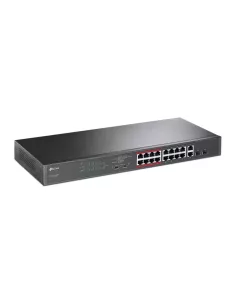
TP-Link 16-Port PoE+
R 4 102,05incl. VAT

TP-Link Omada 8-Port Gigabit Industrial Easy Managed Switch With 6 Gigabit Ports And 2...
R 2 336,57incl. VAT
ZKTeco BioTime 8 Upgrade 5-10 Devices
R 3 967,50incl. VAT
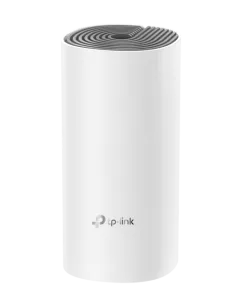
TP-Link Deco E4 AC1200 Router Whole-Home Mesh System (1 Pack)
R 756,02incl. VAT

Linkbasic Rear Cable Management Panel
R 50incl. VAT
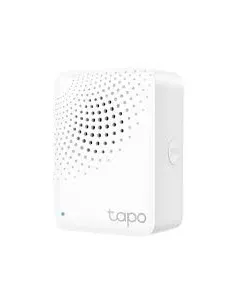
TP-Link Tapo Smart Hub | Tapo H100
R 391,77incl. VAT

Linkbasic Fibre Flylead LC-LC SM 5m UPC
R 75incl. VAT

Linkbasic 3 Metre UTP Cat6 Flylead Yellow
R 60incl. VAT
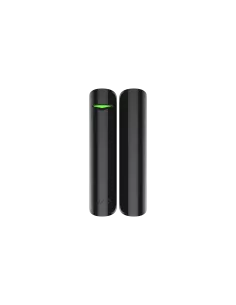
AJAX DoorProtect wireless magnetic opening detector Black
R 884,35incl. VAT

Linkbasic Fibre Outdoor Uplink Cable 60M LC-LC UPC 1Core
R 215incl. VAT